
Send gifts to Japan
English
한국어日本語
dponGiftHelp Center
한국어日本語
How to use
Home›How to use›How do I send my gift via email?

How do I send my gift via email?

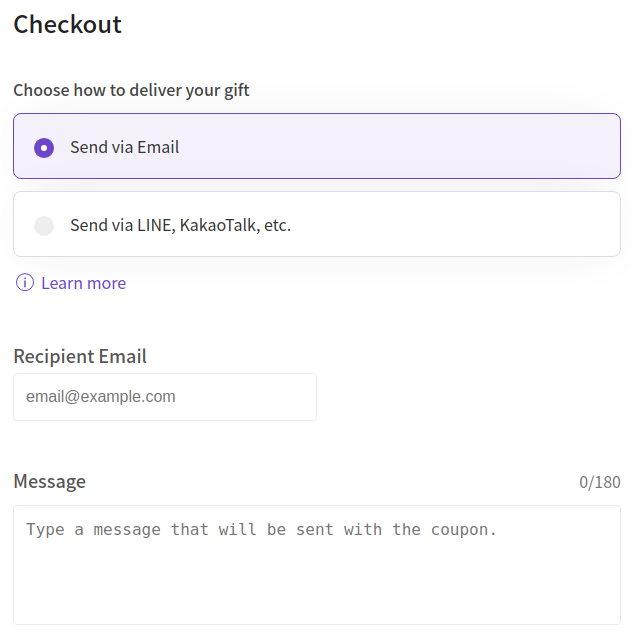
If you would like to send the gift immediately upon purchase, select Send via Email and enter the recipient's email at the time of purchase. When the payment is made, the gift you purchased will be sent immediately to the recipient's email address.
 Selection_267.png

← How to send your gift through instant messaging
How do I get a refund? →
Terms & Conditions·Privacy Policy·How to use

Information

Email: support@dpon.gift
Korea : Business Registration Number: 356-87-00428
c178, 806, 16, Pangyoyeok-ro 192beon-gil, Bundang-gu, Seongnam-si, Gyeonggi-do
日本:東京都新宿区西新宿三丁目3番13号西新宿水間ビル6F HADA Inc. 〒160-0023

Dcenty, HADA Inc. © 2019-2026 All rights reserved.

Help Center

Hours 10:00 ~ 18:00 KST (Weekdays)

Email: support@dpon.gift

Account GuidePaymentHow to useAbout Gifts
Send gifts to Japan
Send gifts easily with Naver Pay.
Naver Pay

Download app

App StoreGoogle Play

Payment options

VISAMastercardJCBAMEX